Did you ever find yourself building similar websites over and over again for different labels? They all have the same core functionality and just a difference in branding and content. So, you just copy paste. But there’s a smarter and more efficient way to do this. White label websites are here to help you out.
When do you need a white label website?
Building identical websites in isolation can feel easy at a first glance. It’s just a copy paste of your current codebase, modify the label specifics and you’re done. But in the end it turns out to be time consuming and it’s error prone. Each modification now needs to be applied to each website. And the more websites you run, the harder it gets.
White label websites to the rescue
A white label website is maintained from a single code repository and therefore is maintained from a single place. Rolling out changes is easier. You commit once and profit directly from them on all your label’s websites directly.
To still provide for each label’s needs, it needs to have some flexibility. The big challenges are content and branding. Each brand has a different target audience and separate story. Therefore it needs different content and a different tone of voice. And white label websites need to be deployed multiple times, for each label.
Content & tone of voice
To keep a white label website maintainable, we externalise the content into separate CMS projects per label. The codebase contains a set of components. Pages can be composed out of these components from the CMS, filled with content for that label. For the tone of voice, interface strings are also put into the CMS.
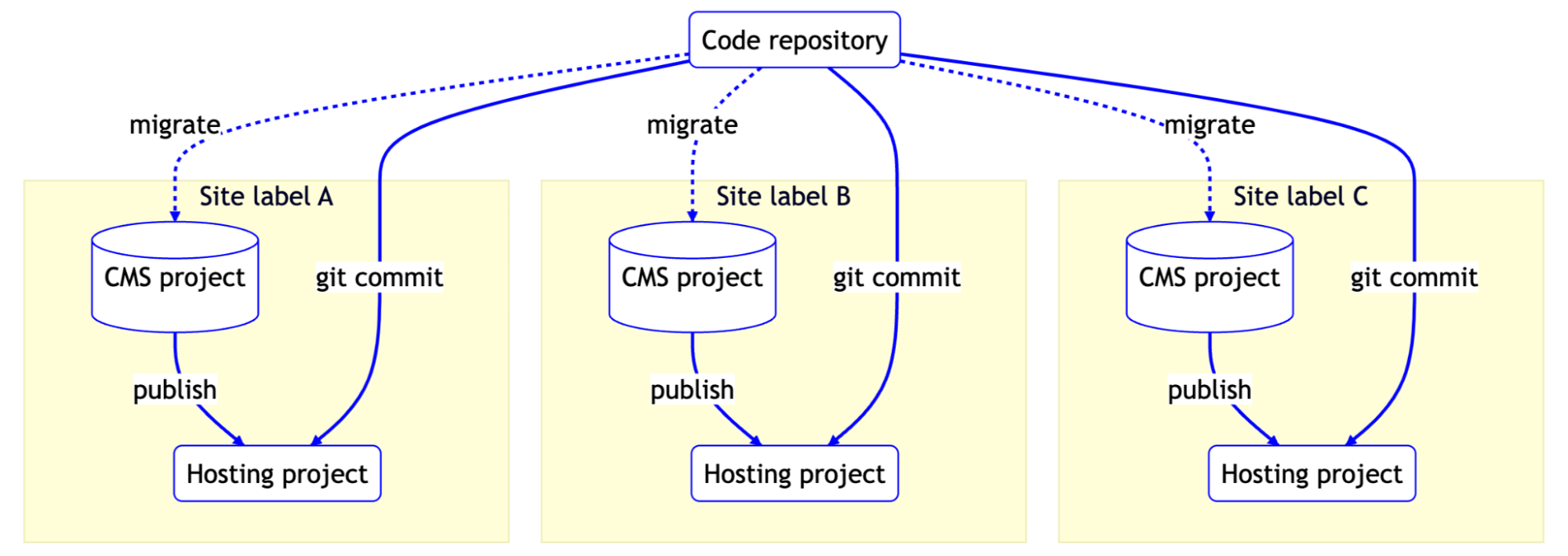
Now we need to keep the supported components from the CMS in sync with the codebase. When we develop a new component, this needs to be available from all the CMS projects for each label. We do so by using scripted migrations: scripts that get your content model from the old to the new state. Since they are scripted, we can apply them repeatedly to each CMS project.
Once the CMS projects are set up, you can use environment variables to connect each CMS project to the matching label’s website using their different API keys.
Branding
Each label has its own branding: logos and design tokens (variables in design). These also need to be different for each label. This can be done by externalising them. Logos can be put into the CMS.
If you only have a few design tokens, they could also be put into the CMS. That’s what we did for one of our clients:
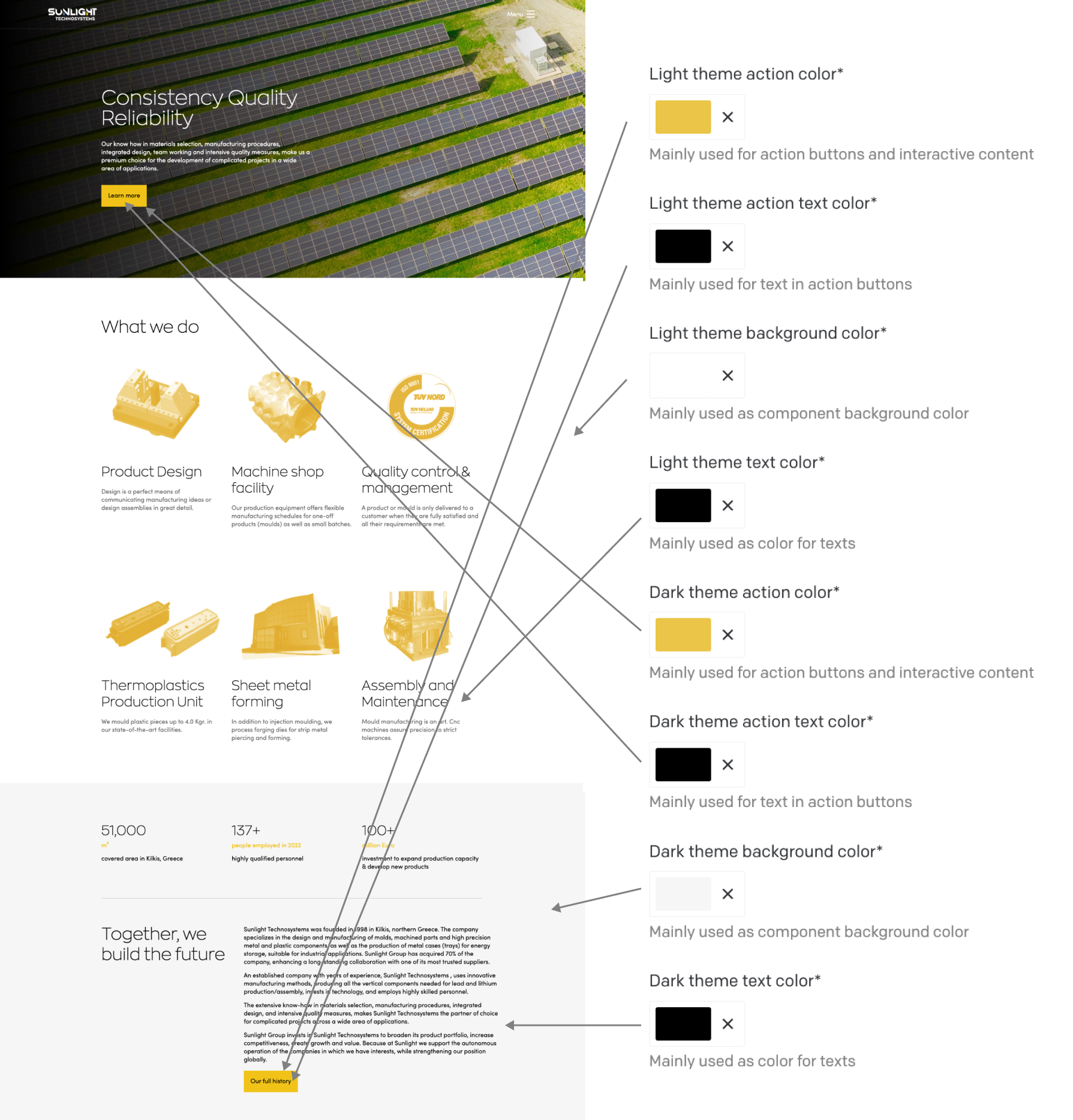
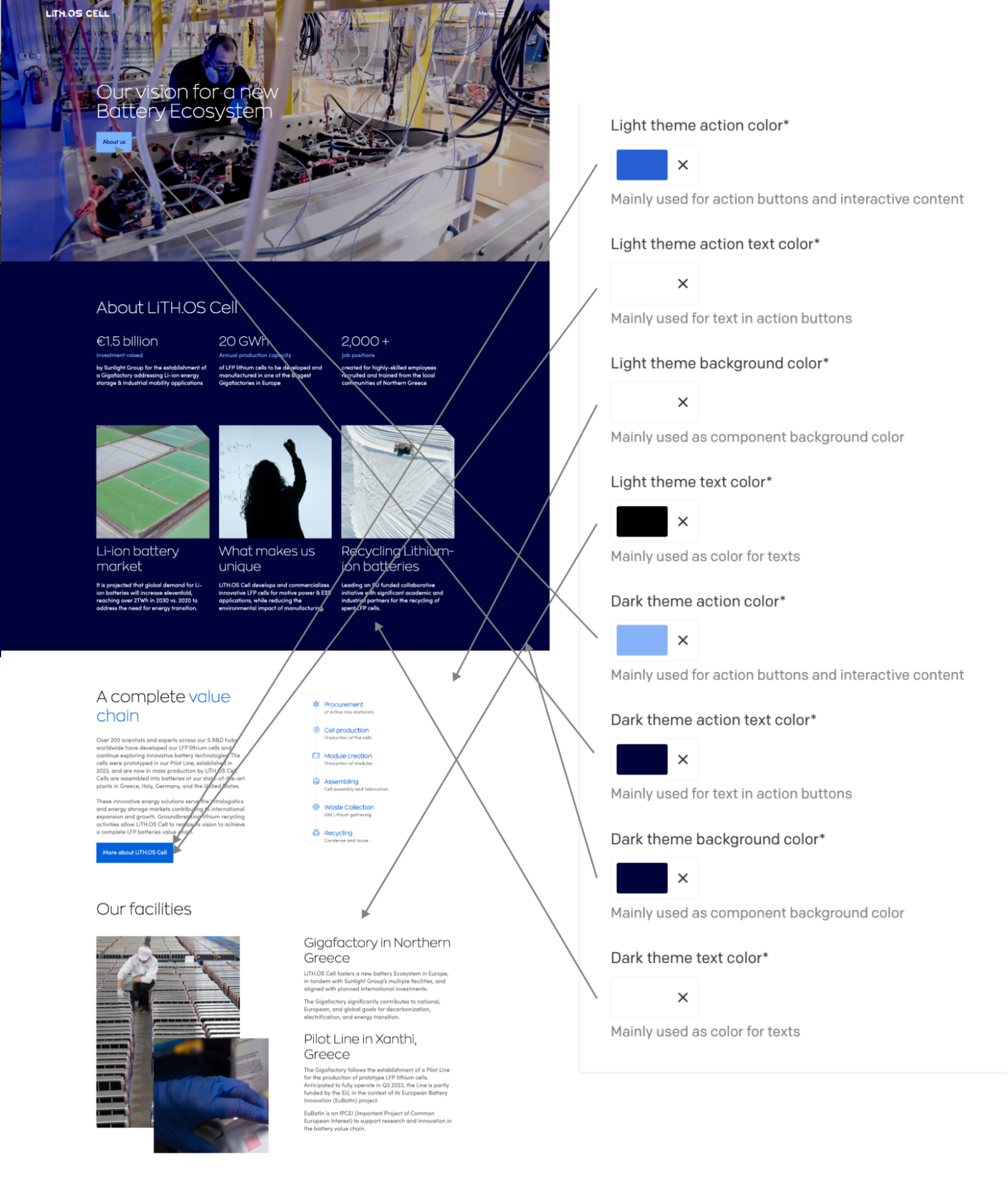
As you can see, it’s pretty manageable in this case. We just have 8 design tokens for colours, that provide us enough flexibility to provide enough recognition to the brand for this client.
But what if you want to take this a step further. Imagine that you want to differentiate in border radii, font families, shadows and spacings. In that case, it’s more maintainable to put the design tokens into code. You need some form of structured duplication now: for each label you need to export the same set of design tokens.
That could look something like this:
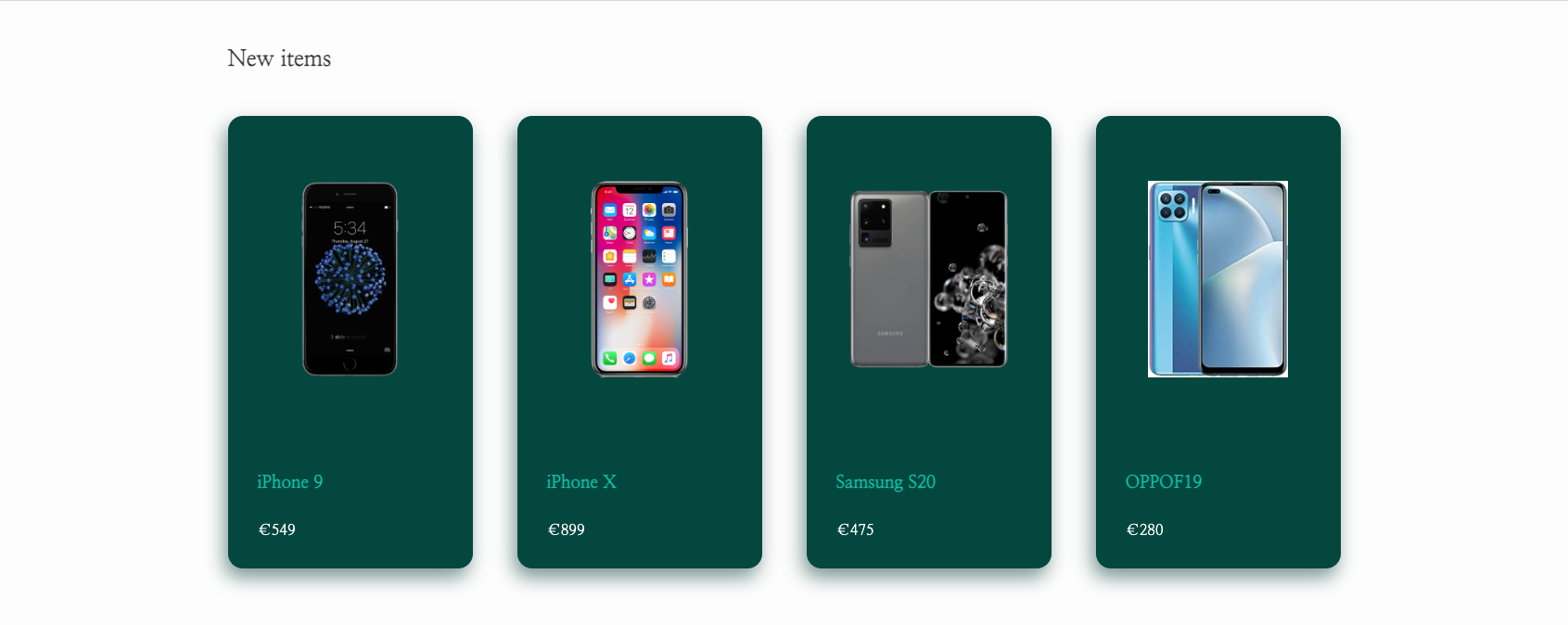
/* theme-a.css */
:root {
  --color-body: #333;
  --color-primary: #0dc5ad;
  --color-background: #03473e;
  --color-background-contrast: #fff;
  --border-radius: 1rem;
  --font-family: 'Nanum Myeongjo', serif;
  --spacing-factor: 2;
  --shadow-default: -4px 10px 20px 0px #01393185;
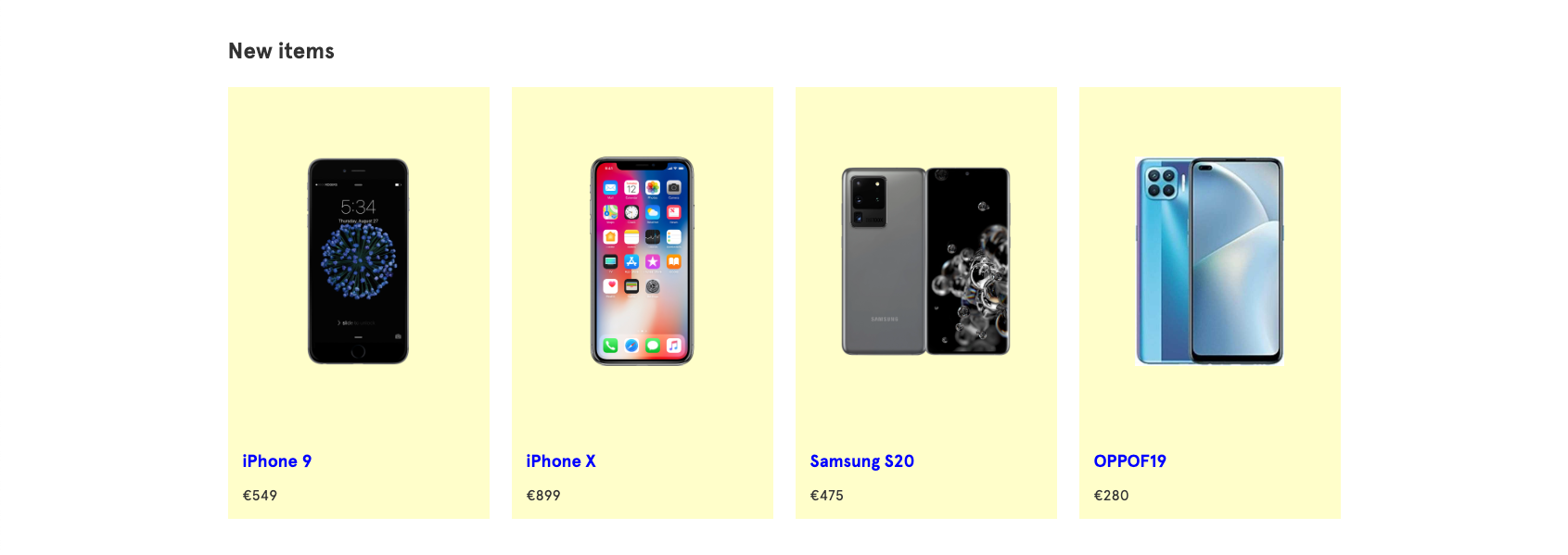
/* theme-b.css */
:root {
  --color-body: #333;
  --color-primary: #0000ff;
  --color-background: #fffeca;
  --color-background-contrast: var(--color-body);
  --border-radius: 0;
  --spacing-factor: 1;
  --font-family: 'apercu', Helvetica, Arial, sans-serif;
  --shadow-default: none;
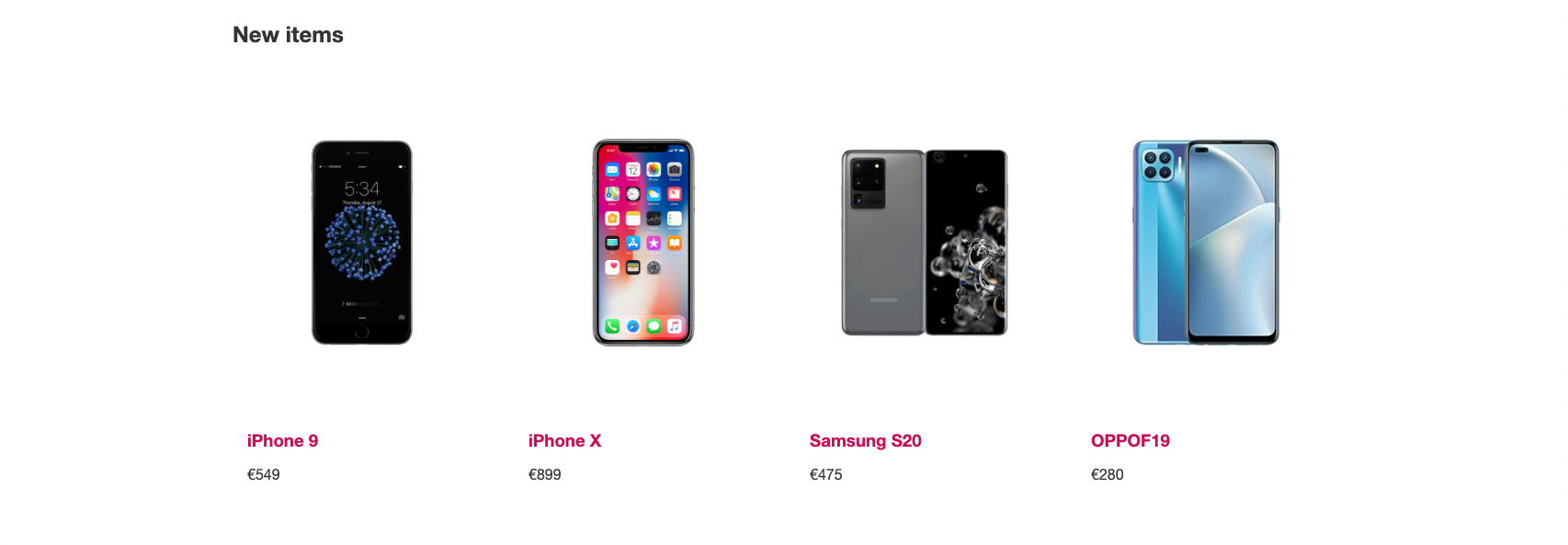
/* theme-c.css */
:root {
  --color-body: #333;
  --color-primary: #ce0b54;
  --color-background: none;
  --color-background-contrast: var(--color-body);
  --border-radius: 0;
  --spacing-factor: 1;
  --font-family: 'Helvetica Neue', Helvetica, Arial, sans-serif;
  --shadow-default: none;
Deployment
Once all the parts are in place, we need to deploy each label’s website. Actually this part is pretty easy. We just deploy from the code repository from our favourite hosting providers Netlify or Vercel multiple times with different environment variables.
Hazards on white label road
Keeping different contexts of labels in mind during development is hard. And the bigger the differences between labels are, the harder it gets to understand the consequences. This applies to the differences we were able to externalise (like theming and content).
But when making exceptions that you can’t externalise - like functionality - you will make it even harder. Because now you have conditional flows a user can encounter. For example if the login flow of site A is different from website B, you now have two flows within a single codebase. And in my opinion this is even worse than having two code bases. That might be more maintenance work, but at least it’s predictable. So if functionality needs to differ, ask yourself if going white label suits you best.
